

Pawa Chat Widget lets companies design, brand, and deploy a fully functional low cost AI chat assistant on their website without writing a custom chat interface or managing AI backend infrastructure.
The feature is live now at Pawa Builder
At its core, the Pawa Chat Widget is a plug-and-play AI assistant that any business can add to their site to handle customer support, capture leads, and guide visitors — all without engineering a chatbot from scratch. Instead of stitching together an LLM API, a chat UI, and a hosting setup, teams design the assistant visually inside the Pawa Builder dashboard and then drop a single script tag onto their website.
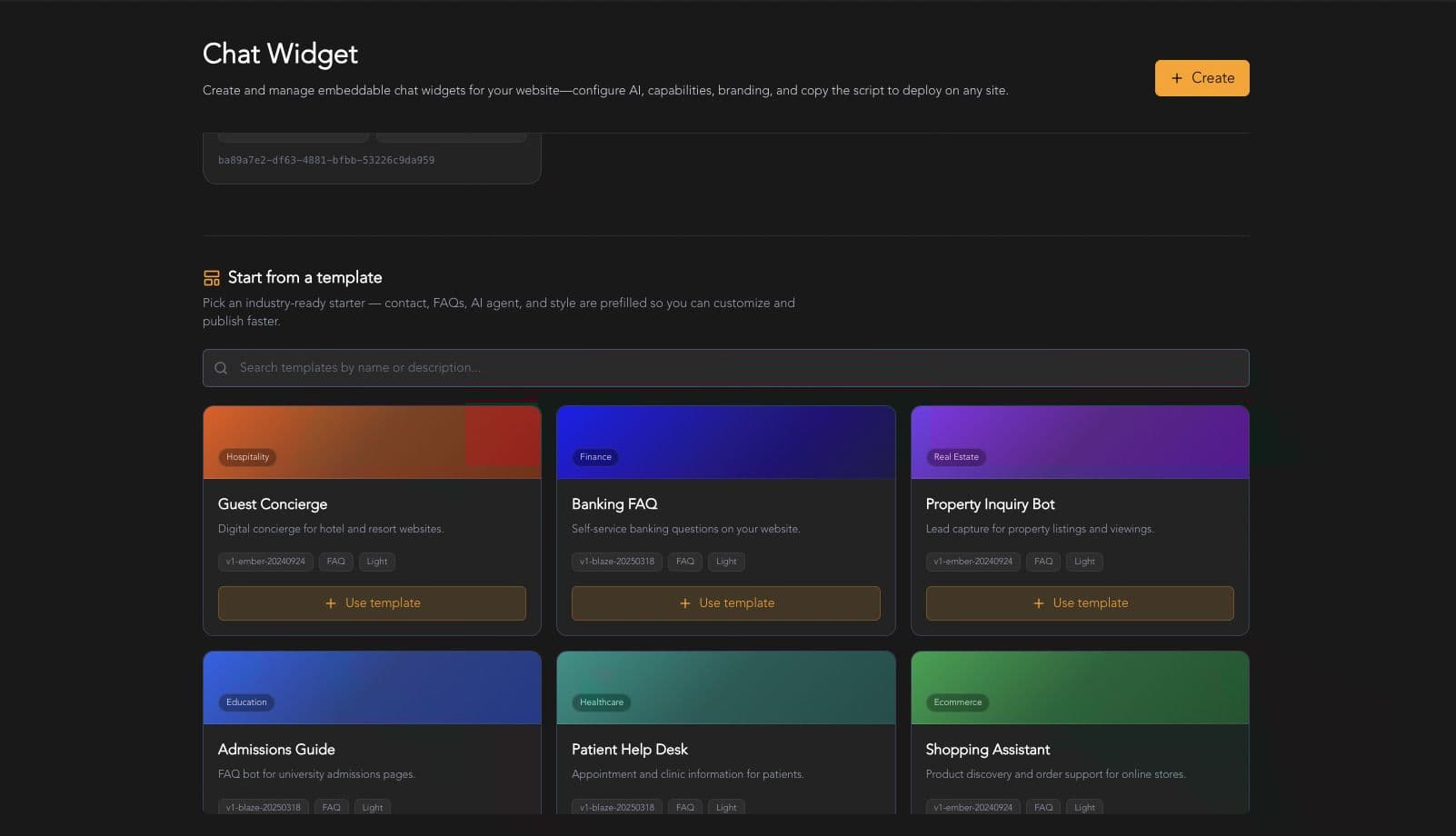
Once embedded, the widget mounts itself as a branded chat bubble that visitors can open on any page of the site, ready to answer questions grounded in the business's own knowledge base.
Key Capabilities & Advantages
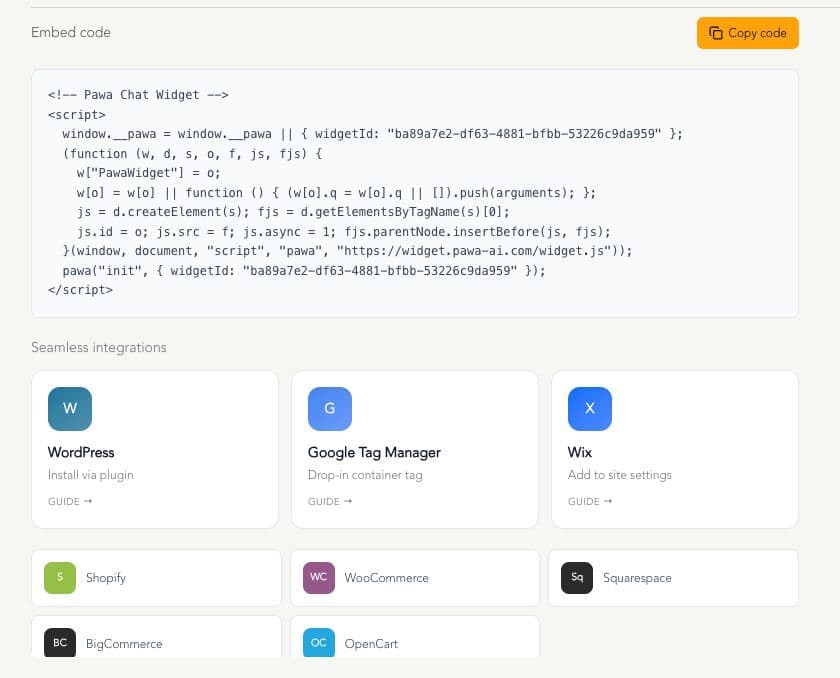
- One-script deployment There's no SDK integration or custom frontend work involved. After configuring the widget in the dashboard, businesses copy one JavaScript snippet and paste it into their site's HTML. The widget then loads asynchronously and appears on every page — a setup that works on virtually any HTML-based website, regardless of the tech stack behind it.
<!-- Pawa Chat Widget -->
<script>
  window.__pawa = window.__pawa || { widgetId: "wdg_…" };
  (function (w, d, s, o, f, js, fjs) {
    w["PawaWidget"] = o;
    w[o] = w[o] || function () { (w[o].q = w[o].q || []).push(arguments); };
    js = d.createElement(s); fjs = d.getElementsByTagName(s)[0];
    js.id = o; js.src = f; js.async = 1; fjs.parentNode.insertBefore(js, fjs);
  }(window, document, "script", "pawa", "https://widget.pawa-ai.com/widget.js"));
  pawa("init", { widgetId: "wdg_…" });
</script>
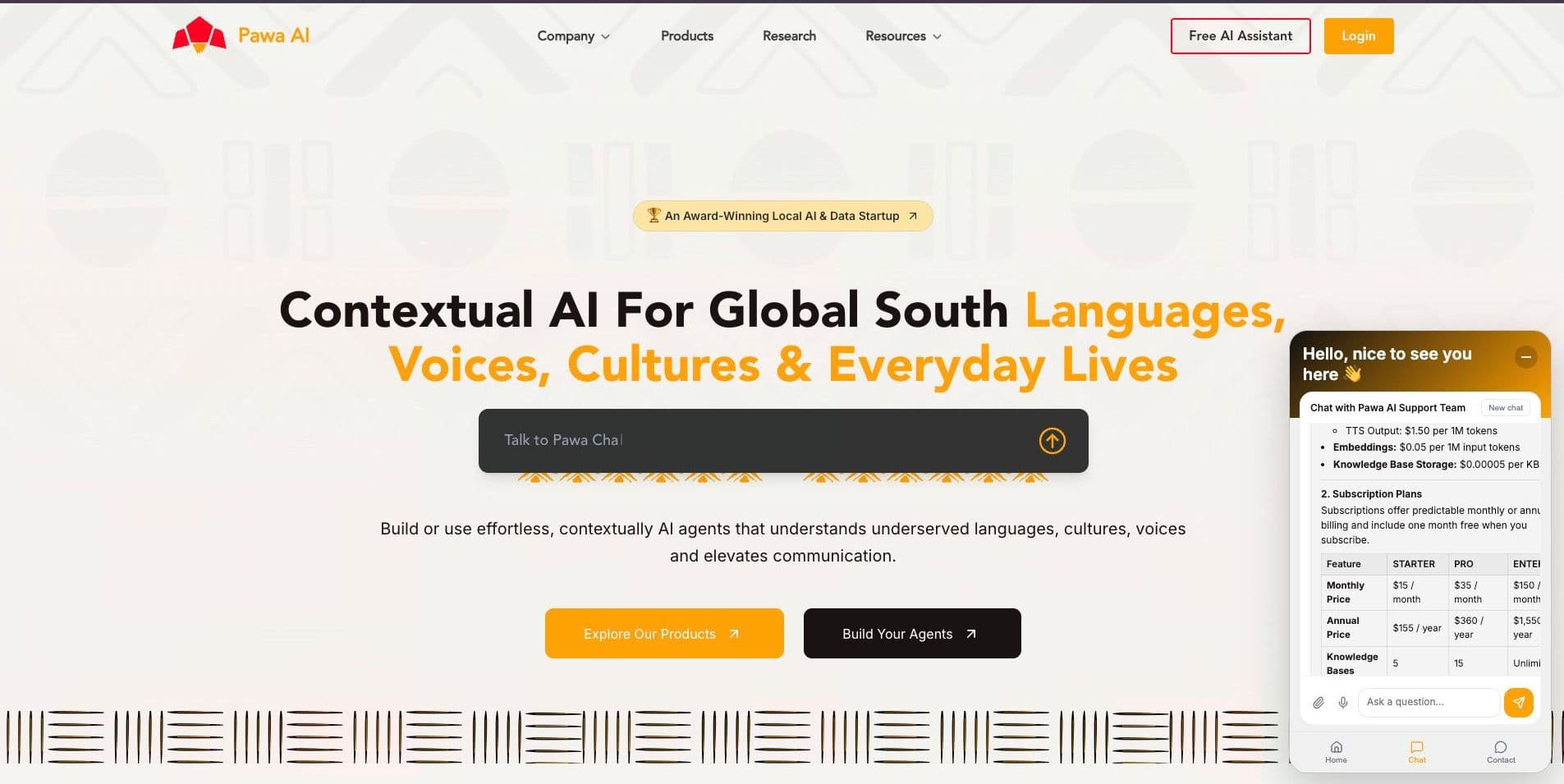
- Brand-perfect design The widget isn't a generic bolt-on chat box. Teams can control colors, avatar, header, welcome message, theme, and screen position so the assistant visually matches the rest of the site rather than looking like a third-party plugin.
-
Knowledge-grounded answers Businesses can connect documents and FAQs to the widget, so responses stay accurate and specific to their actual products, policies, and services rather than relying on generic AI knowledge.
-
35+ languages, with a Global South focus Multilingual support is a standout feature. The widget can converse in more than 35 languages, including Swahili, Hausa, and Yoruba — a deliberate focus on languages that are often underserved by mainstream AI chat tools, but that make up the everyday language of huge segments of Pawa AI's target markets across Africa.
-
Low-cost entry point Unlike many enterprise chatbot platforms that require a costly monthly contract to get started, Pawa Builder keeps the barrier to entry low. Businesses can start with pay-as-you-go pricing from just $3, or move to a $15/month subscription for more predictable, ongoing usage. That makes it realistic for small businesses and solo founders to test the widget on a real site without a large upfront commitment, while still giving growing teams an affordable subscription option.
-
Voice in and voice out For your visitors, the widget supports optional speech-to-text and text-to-speech, allowing users to talk to the assistant and hear responses rather than typing everything out.
-
Tools and actions Beyond answering questions, the widget can be equipped with tools that let it look up records, search external sources, and complete real tasks — moving it from a simple FAQ bot toward a functional agent.
-
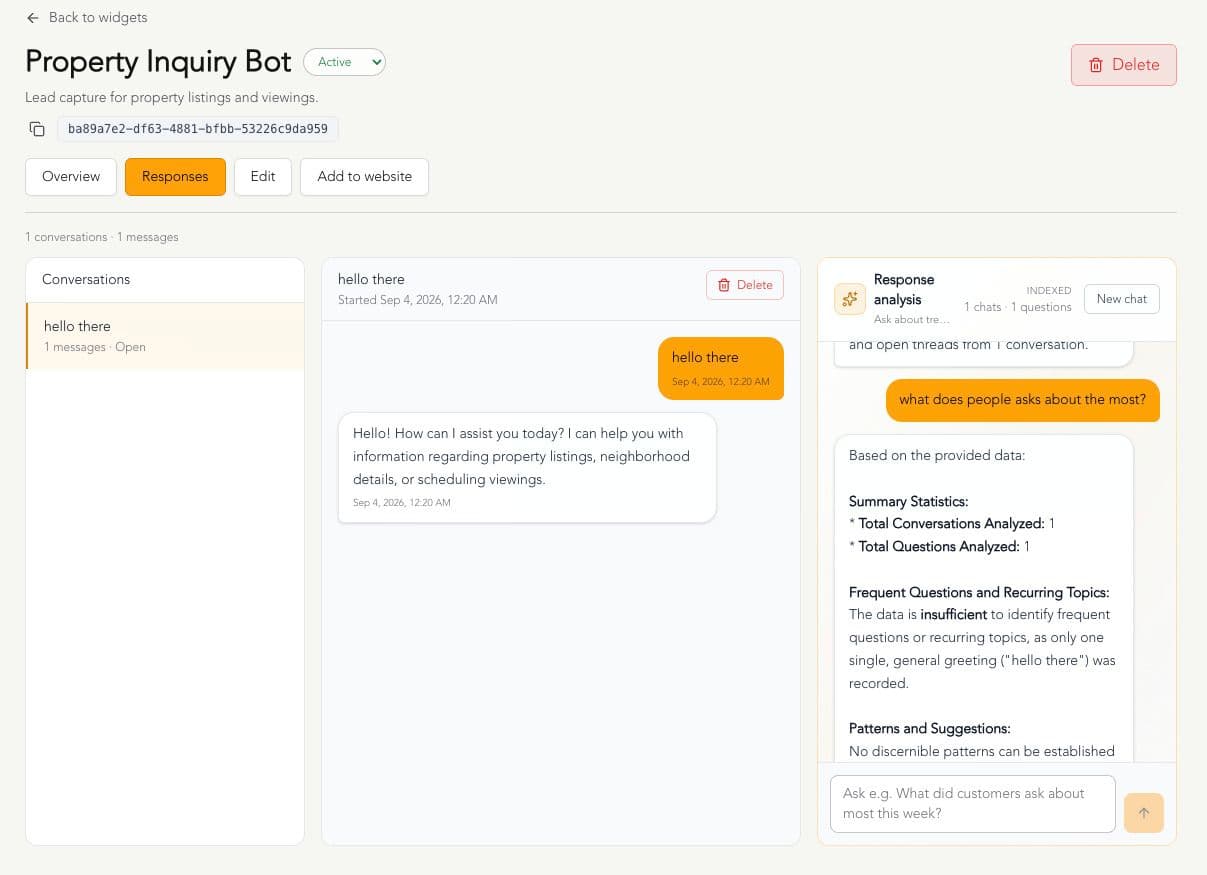
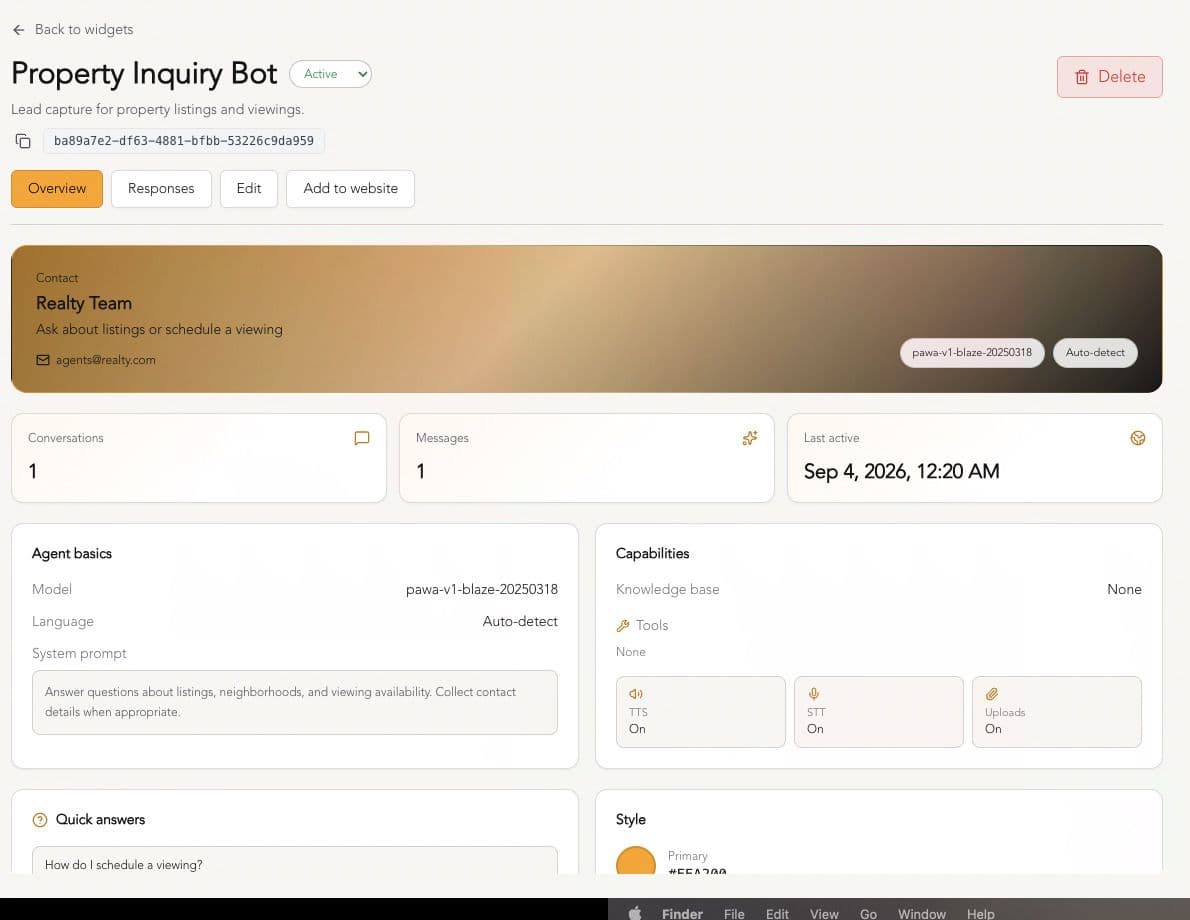
Conversation insights Every conversation the widget has can be reviewed from the dashboard with the built-in chat assistant for that, giving businesses a direct window into what visitors are actually asking and where answers might need improvement.
-
Document uploads in chat Visitors aren't limited to typing questions — they can upload documents directly in the deployed widget, letting the assistant read and respond based on files a visitor shares in the moment. This is useful for scenarios like a customer sharing an invoice, a form, or a spec sheet and asking the assistant to review or explain it, rather than describing the content by hand.
-
Privacy by default Visitor conversations are kept on Pawa's infrastructure, giving businesses a level of built-in data protection without additional configuration.
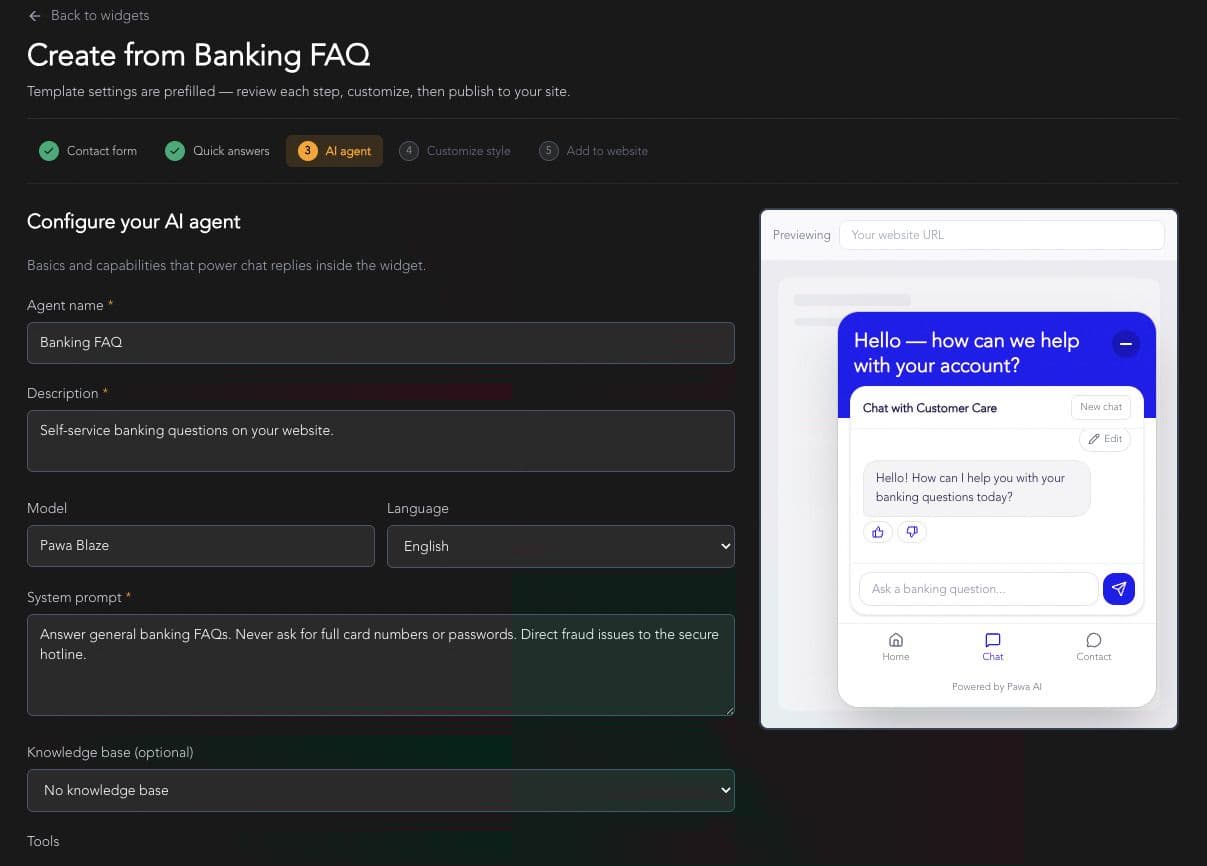
How It Works: Four Steps to a Live Assistant
Pawa Builder frames the setup process as four straightforward steps, designed to take a business from a blank page to a live, working assistant in an afternoon:
-
Start from a template— choose a pre-built template for support, lead generation, or property/real estate use cases, or start blank and build from scratch.
-
Shape the AI— configure contact details, FAQs, connect a knowledge base, add tools, and enable voice.
-
Make it yours— apply brand colors, set a welcome message, choose a theme, and pick where the widget sits on the page.
-
Embed and ship — paste the script once, and the assistant goes live across the site.
Throughout the process, the dashboard offers a live preview, so teams can see exactly how the widget will look and behave before publishing — and they can update branding later without needing to redeploy anything on their own site.
No custom chat UI to build, no additional dependencies to manage — just a loader script that mounts the fully configured assistant wherever it's placed.
Where the Widget Fits: Use Cases
Pawa positions the Chat Widget around the moments where website visitors actually make decisions:
- Customer support— instant answers without queue wait times, with visitors able to upload documents like invoices or forms directly in the chat for the assistant to review.
- Lead capture— qualifying visitors and collecting contact information automatically.
- Site concierge — guiding users through products and pages in real time.
- Local language help— meeting visitors in Swahili, Hausa, Yoruba, and other languages they're most comfortable using.
Why This Matters
For many small and mid-sized businesses, adding AI chat to a website has historically meant either paying for an expensive third-party SaaS chatbot with limited customization, or hiring developers to integrate an LLM API and build a chat interface from the ground up. Pawa's Chat Widget collapses that gap: it gives businesses design-level control over branding and behavior while removing nearly all of the engineering overhead — and at $3 to get started, it removes much of the financial risk too.
Getting Started
Businesses interested in trying the feature can create a widget directly from the Pawa Builder Chat Widget page, where they can also compare plans on the pricing page before committing. Documentation for developers is available at docs.pawa-ai.com.